 0
comments
0
comments

Description
Extended version of GO Launcher, one of the most popular home application.


GO Launcher Ex, the extended version of GO Launcher, is the most popular home app in Android Market. It supports customizable home makeover, themes, smooth operation experience as well as various practical utilities. It brings you a fresh and extraordinary mobile operation experience.
Features:
- Thousands of personalized theme (Free downloads)
- Featured widgets, such as GO Calendar, GO Task Manager and GO Clock
- Extremely fancy home screen transition
- Smooth flipping experience
- User-defined folder to easily categorize apps
- Set icon sorting, hide app icon and uninstall apps
- Thousands of personalized theme (Free downloads)
- Featured widgets, such as GO Calendar, GO Task Manager and GO Clock
- Extremely fancy home screen transition
- Smooth flipping experience
- User-defined folder to easily categorize apps
- Set icon sorting, hide app icon and uninstall apps
Tips:
1. Search GO Launcher Theme in Android Market or GO Store to get more cute and cool themes (MEMU-Themes-App Theme).
2. Search GO Widget in Android Market or GO Store to download more widgets (Long press GO Home Screen-GO Widget-Add to Screen).
3. Long press an icon to drag and drop it with the other icon to build a new folder, or press App Drawer-Menu- New Folder.
4. Dozens of screen transition effects for App Drawer and desktop (MENU-Preferences-Effects Settings).
5. Long press the app icon and enter editing mode to quickly uninstall apps or edit folder
6. Up-glide to enter preview screen to add, delete, switch and set home screen.
7. The widgets in the screenshots belongs to GO Widget, attainable from Android Market or GO Store
8. Transparency Theme in the screenshots is attainable from Android Market or GO Store (Long press GO Widget to activate shortcut menu-Skin-Apply This theme).
9. Download GO Weather widget from Android Market.
1. Search GO Launcher Theme in Android Market or GO Store to get more cute and cool themes (MEMU-Themes-App Theme).
2. Search GO Widget in Android Market or GO Store to download more widgets (Long press GO Home Screen-GO Widget-Add to Screen).
3. Long press an icon to drag and drop it with the other icon to build a new folder, or press App Drawer-Menu- New Folder.
4. Dozens of screen transition effects for App Drawer and desktop (MENU-Preferences-Effects Settings).
5. Long press the app icon and enter editing mode to quickly uninstall apps or edit folder
6. Up-glide to enter preview screen to add, delete, switch and set home screen.
7. The widgets in the screenshots belongs to GO Widget, attainable from Android Market or GO Store
8. Transparency Theme in the screenshots is attainable from Android Market or GO Store (Long press GO Widget to activate shortcut menu-Skin-Apply This theme).
9. Download GO Weather widget from Android Market.
Important:
1. GO Launcher Ex is a totally free app without any charge. We need directly call phone number permission to enable the dial shortcut on home screen.
2. If you cannot set “GO Launcher” as the default home app, download “Home Manager” to fix it.
3. GO Dev Team has released GO Launcher, GO SMS, GO Weather and GO Contact. More fabulous apps are coming soon!
1. GO Launcher Ex is a totally free app without any charge. We need directly call phone number permission to enable the dial shortcut on home screen.
2. If you cannot set “GO Launcher” as the default home app, download “Home Manager” to fix it.
3. GO Dev Team has released GO Launcher, GO SMS, GO Weather and GO Contact. More fabulous apps are coming soon!
Want an extreme makeover to your phone? Try it out!

Fish_Galaxy_1.2

Description
Catch the fish!!


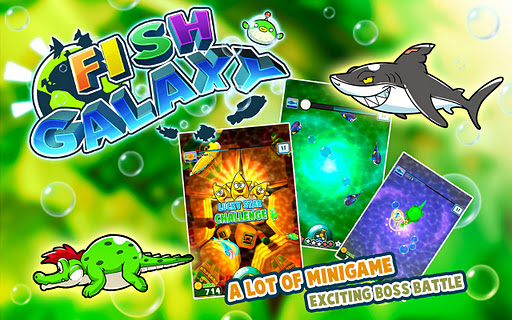

==Introduction==
Fish Galaxy is a new kind of game which combines the casual shooting and medal game together. Sigma Game would like to bring this new additive gaming experience to casual gamer. No matter what kind of fish, accuracy is the key to master this game! Aim and Shoot!
==Story==
This is a story of an alien Catchy (Cat) and his UFO pilot Fishy (Puffer fish robot). Fishy loves fish, however, Catchy loves to catch fish. In this game, you are Catchy. Your goal is using your bubble gun to catch as many fishes as possible and bring them back to your water planet. But Fishy always stop you with different challenges. You have to solve those challenges with your wisdom and shooting skill.
Features:
- Stunning 3D Graphics
- 42 Different colorful and cute deep sea and fresh water fishes
- 6 Fantasy Environments
- 11 Interesting bonus mini-games
- 42 collectible for you to collect
- 2 Bosses and 1 Jackpot Game available for you to challenge
- Retina Display support
- Game Center support
Let us know what you think.
For technical support or any inquiries about the game, please email info@sigma-game.com
- Stunning 3D Graphics
- 42 Different colorful and cute deep sea and fresh water fishes
- 6 Fantasy Environments
- 11 Interesting bonus mini-games
- 42 collectible for you to collect
- 2 Bosses and 1 Jackpot Game available for you to challenge
- Retina Display support
- Game Center support
Let us know what you think.
For technical support or any inquiries about the game, please email info@sigma-game.com
Follow us on Twitter:
http://twitter.com/sigmagame
http://twitter.com/sigmagame
Become our fans on facebook:
http://www.facebook.com/Sigmagame
http://www.facebook.com/Sigmagame
CJ_Strike_Back_1.0.8

Description
Aliens are invading, time to strike back! Fast paced, and super challenging!
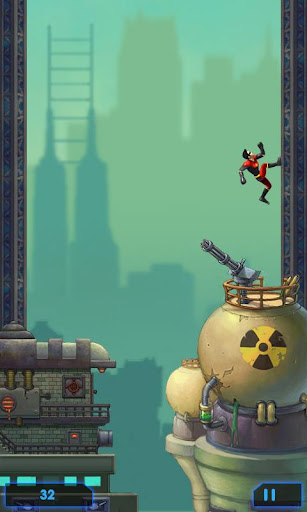
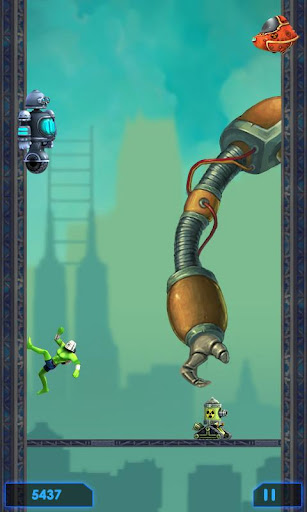
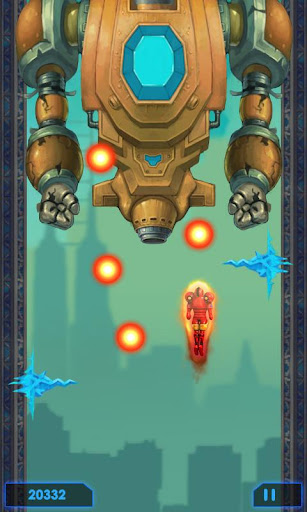
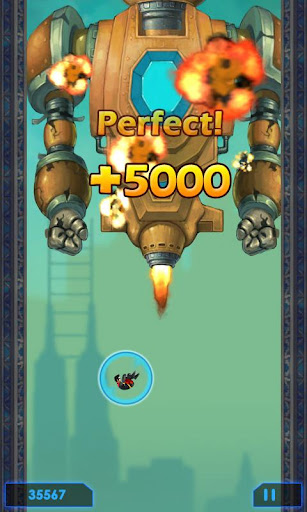

Aliens are invading, the city is in danger - It's time for human to strike back, to defeat aliens invasion! Jump to fight against mechanized troops, kill the boss of aliens, and achieve all tasks to save the city!
# Tap screen to jump to kill enemies.
# Kill 3 of the same kind enemies to POWER UP.
# Kill the boss for extra bonus.
# Achieve appointed tasks to get higher score.
# Kill 3 of the same kind enemies to POWER UP.
# Kill the boss for extra bonus.
# Achieve appointed tasks to get higher score.
It's time to save the city now! Don't forget to rock global 24h leaderboard, HERO!
Calculator++_1.2.23

Description
Calculator++ is an advanced, modern and easy to use scientific calculator #1.
Calculator++ is all you need - it helps you to do basic and advanced calculations on your mobile device.
Calculator++ is the modern calculator for everyone: scientists, accountants, students.


Calculator++ is all you need - it helps you to do basic and advanced calculations on your mobile device.
Calculator++ is the modern calculator for everyone: scientists, accountants, students.
IMPORTANT: application contains ads! If you want to get rid of them purchase special option from application settings. Internet access permission is needed only for showing the ads. ADS ARE ONLY SHOWN ON THE SECONDARY SCREENS!
Features:
++ easy to use
+ no need to press equals button anymore - result is calculated on fly
+ smart cursor positioning
+ several kinds of brackets
+ copy/paste in one button
+ landscape/portrait orientations
++ drag buttons up or down to use special functions, operators etc
++ modern interface with possibility to choose themes (currently 3 themes available)
+ highlighting of expressions
+ history with all previous calculations and undo/redo buttons
++ variables and constants support (build-in and user defined)
++ complex number computations
+ support for lots of functions: sin, sinh, asin, asinh, ln, sqrt etc
++ expression simplification: use 'identical to' sign (≡) to simplify current expression (2/3+5/9≡11/9, √(8)≡2√(2))
+ support for android 1.6 and higher
+ open source
+ Russian and English interfaces
Features:
++ easy to use
+ no need to press equals button anymore - result is calculated on fly
+ smart cursor positioning
+ several kinds of brackets
+ copy/paste in one button
+ landscape/portrait orientations
++ drag buttons up or down to use special functions, operators etc
++ modern interface with possibility to choose themes (currently 3 themes available)
+ highlighting of expressions
+ history with all previous calculations and undo/redo buttons
++ variables and constants support (build-in and user defined)
++ complex number computations
+ support for lots of functions: sin, sinh, asin, asinh, ln, sqrt etc
++ expression simplification: use 'identical to' sign (≡) to simplify current expression (2/3+5/9≡11/9, √(8)≡2√(2))
+ support for android 1.6 and higher
+ open source
+ Russian and English interfaces
NOTE ABOUT INTERNET ACCESS: Calculator++ (ver. 1.2.24) contains ad which requires internet access. To get rid of it - purchase version without ad (can be done from application's preferences).
Hints:
1. You can omit unnecessary multiplication signs (instead of 3*t or t*sin(π*t) just type 3t or tsin(πt))
2. Use ≡ (in the top right corner of = button) to simplify expression
3. Just click on the result to copy it to the clipboard
4. Use = button seldom - result is calculating on the fly
4. Add constants for often used values (you can even save expressions)
1. You can omit unnecessary multiplication signs (instead of 3*t or t*sin(π*t) just type 3t or tsin(πt))
2. Use ≡ (in the top right corner of = button) to simplify expression
3. Just click on the result to copy it to the clipboard
4. Use = button seldom - result is calculating on the fly
4. Add constants for often used values (you can even save expressions)
FAQ
How can I get rid of the ads?
You can do it by purchasing the special option in the main application preferences.
You can do it by purchasing the special option in the main application preferences.
Why Calculator++ needs INTERNET permission?
Currently application needs such permission only for one purpose - to show ads. If you buy the special option C++ will never use your internet connection.
Currently application needs such permission only for one purpose - to show ads. If you buy the special option C++ will never use your internet connection.
How can I use functions written in the top right and bottom right corners of the button?
Push the button and slide lightly up or down. Depending on value showed on the button action will occur.
Push the button and slide lightly up or down. Depending on value showed on the button action will occur.
How can I toggle between radians and degrees?
To toggle between different angle units you can either change appropriate option in application settings or use the toggle switch located on the 6 button (current value is lighted with yellow color).
Also you can use deg() and rad() functions and ° operator to convert degrees to radians and vice versa.
Also you can use deg() and rad() functions and ° operator to convert degrees to radians and vice versa.
Examples:
268° = 4.67748
30.21° = 0.52726
rad(30, 21, 0) = 0.52726
deg(4.67748) = 268
268° = 4.67748
30.21° = 0.52726
rad(30, 21, 0) = 0.52726
deg(4.67748) = 268
Does C++ support %?
Yes, % function can be found in the top right corner of / button.
Yes, % function can be found in the top right corner of / button.
Examples:
100 + 50% = 150
100 * 50% = 50
100 + 100 * 50% * 50% = 125
100 + (100 * 50% * (25 + 25)% + 100%) = 150
100 * 50% = 50
100 + 100 * 50% * 50% = 125
100 + (100 * 50% * (25 + 25)% + 100%) = 150
Note:
100 + (20 + 20)% = 140, but 100+ (20% + 20%) = 124.0
100 + 50% ^ 2 = 2600, but 100 + 50 ^ 2% = 101.08
100 + 50% ^ 2 = 2600, but 100 + 50 ^ 2% = 101.08
Does C++ support fractional calculations?
Yes, you can type your fractional expression in the editor and use ≡ (in the top right corner of = button). Also you can use ≡ to simplify expression.
Yes, you can type your fractional expression in the editor and use ≡ (in the top right corner of = button). Also you can use ≡ to simplify expression.
Examples:
2/3 + 5/9 ≡ 11/9
2/9 + 3/123 ≡ 91/369
(6 - t) ^ 3 ≡ 216 - 108t + 18t ^ 2 - t ^ 3
2/9 + 3/123 ≡ 91/369
(6 - t) ^ 3 ≡ 216 - 108t + 18t ^ 2 - t ^ 3
Does C++ support complex calculations?
Yes, just enter complex expression (using i or √(-1) as imaginary number).
Yes, just enter complex expression (using i or √(-1) as imaginary number).
Examples:
(2i + 1) ^ = -3 + 4i
e ^ i = 0.5403 + 0.84147i
e ^ i = 0.5403 + 0.84147i
Can C++ plot graph of the function?
Yes, type expression which contains 1 undefined variable (e.g. cos(t)) and click on the result. In the context menu choose 'Plot graph'.
Yes, type expression which contains 1 undefined variable (e.g. cos(t)) and click on the result. In the context menu choose 'Plot graph'.
Does C++ support matrix calculations?
No, it doesn't
No, it doesn't
Why I've got 1.76732452452345E-17 instead of 0?
Check the 'Round result' preference in application settings - it should be turned on.
Check the 'Round result' preference in application settings - it should be turned on.
Battle_Race_One_Way_Racing_2.6.0
Description
The best FREE APP!


 http://www.mediafire.com/?35ebe264ov9158o
A high-paced, high-altitude car racing game with plenty of twists and turns!
Select from five orignal, customizable car models and grab hold of the steering wheel (your mobile device) to battle against and defeat your rivals.
Select from five orignal, customizable car models and grab hold of the steering wheel (your mobile device) to battle against and defeat your rivals.
This is a tilt racing game not like drag racing game.
Keywords : car racing, car race, racing game, battle race, free game, free app, car game, car game game, tilt race
Get inside GMO GameCenter info on latest game updates, tips & more...
LIKE US ON FACEBOOK: facebook.com/GGeebyGMO
FOLLOW US ON TWITTER: twitter.com/GGeebyGMO
FOLLOW US ON TWITTER: twitter.com/GGeebyGMO
Some of the exciting games from the developer of this game, Natsume, are
Harvest Moon, Rune Factory, Reel Fishing, Animal Kingdom, etc...
Harvest Moon, Rune Factory, Reel Fishing, Animal Kingdom, etc...
Angry_Gran_1.3.apk
Description
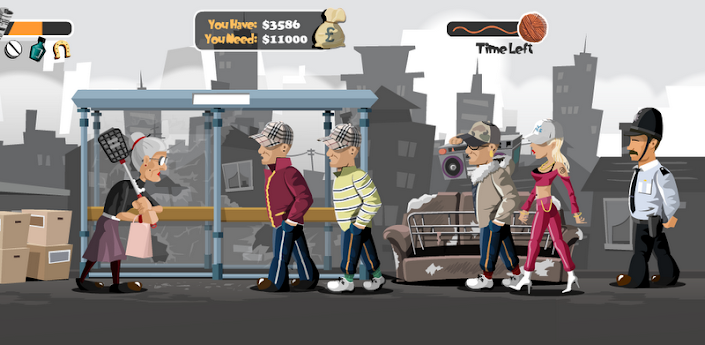
Angry Gran best Free Game
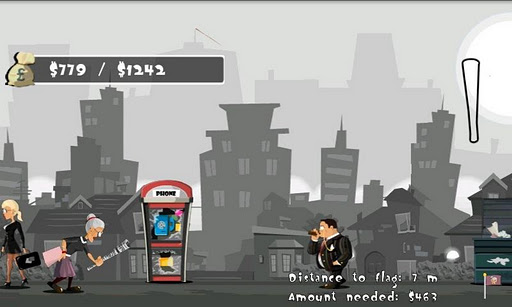
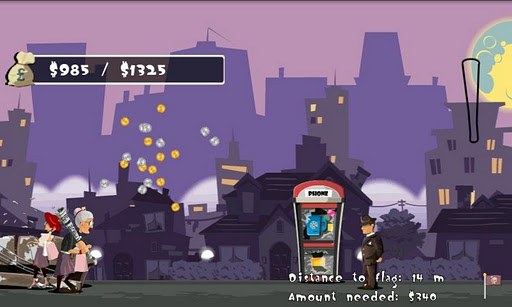


Angry Gran Best free Game has a Very Angry Granny who is know as the angry Bird Around the corner who like to bust up some riff raff!
Android_Assistant_3.5

Description
Top 18 features to help you easily and efficiently manage your android phone.
KW: task kill taskkill ATK app killer tool tools taskmanager task manager system panel systempanel process manager processmanager memory taskpanel task panel Advanced Process android 2.3 Android Assistant


http://www.mediafire.com/?kvq7n68f59xkb8h
Android Assistant is one of the most powerful and comprehensive management tools to improve your android phone's performance. It speeds up your phone's running speed and saves battery.
【Top18 features】
1. Monitor status (cpu, memory, battery)
2. Process Manager (Auto Boost and Quick Boost can distinguish different types of processes thus will not kill fatal system processes and apps in Ignore List.)
3. Cache Cleaner
4. System Clean(Browser History, Clipboard, Market History, Gmail History, Google Earth History, Google Map History)
5. Save Battery Settings(bluetooth, wifi, gps, auto-sync, orientation, haptic feedback, screen brightness, timeout)
6. File Manager
7. Startup Manager
8. Batch Uninstall
9. Battery use
10. Volume Control
11. Ringer
12. Startup Time
13. Startup Silent(Menu->Settings->Startup Silent)
14. System Info
15. Widget(Quick Booster[1,4], Shortcuts[4])
16. App 2 SD(Support android2.2 and later):Get more free internal phone storage space
17. Batch Installation
18. App backup and restore
1. Monitor status (cpu, memory, battery)
2. Process Manager (Auto Boost and Quick Boost can distinguish different types of processes thus will not kill fatal system processes and apps in Ignore List.)
3. Cache Cleaner
4. System Clean(Browser History, Clipboard, Market History, Gmail History, Google Earth History, Google Map History)
5. Save Battery Settings(bluetooth, wifi, gps, auto-sync, orientation, haptic feedback, screen brightness, timeout)
6. File Manager
7. Startup Manager
8. Batch Uninstall
9. Battery use
10. Volume Control
11. Ringer
12. Startup Time
13. Startup Silent(Menu->Settings->Startup Silent)
14. System Info
15. Widget(Quick Booster[1,4], Shortcuts[4])
16. App 2 SD(Support android2.2 and later):Get more free internal phone storage space
17. Batch Installation
18. App backup and restore
KW: task kill taskkill ATK app killer tool tools taskmanager task manager system panel systempanel process manager processmanager memory taskpanel task panel Advanced Process android 2.3 Android Assistant
AndExplorer_2.1
Description
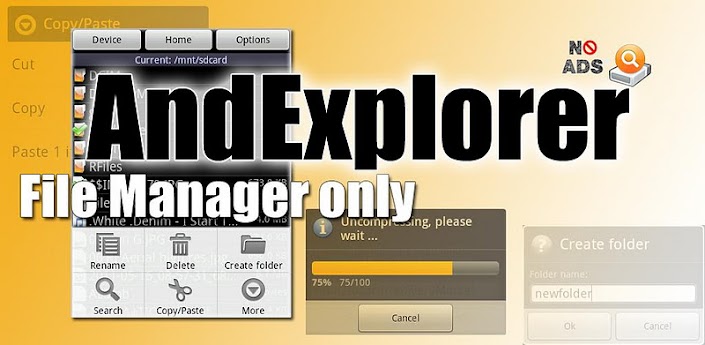
File explorer and manager, ZIP support (optionally encrypted)
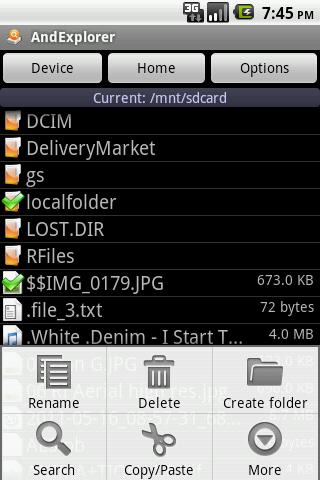
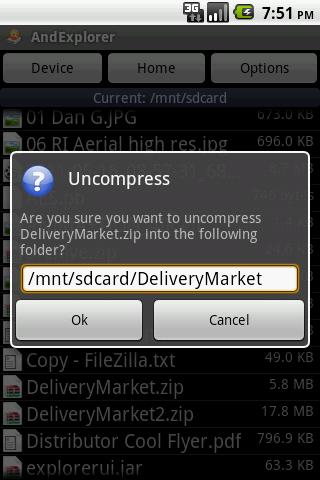
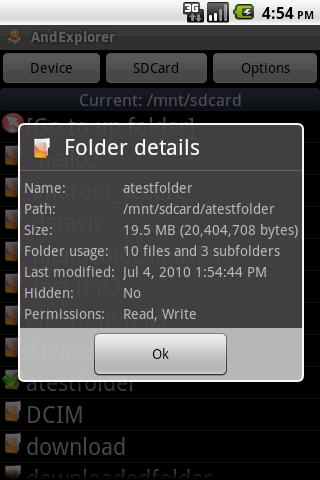
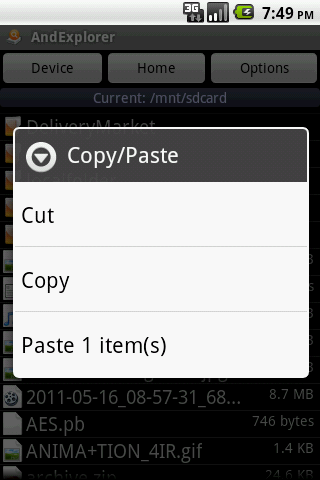

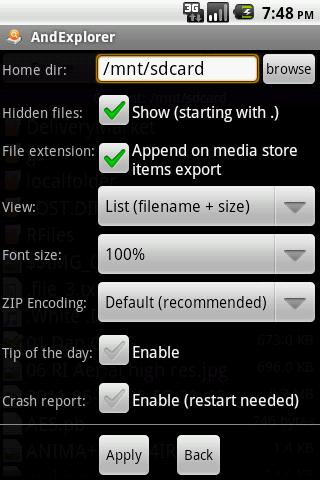
AndExplorer is a file manager/explorer. It allows browsing files/folders stored on device and sdcard. It can sort by name, size and date. Copy/Paste, Rename, delete, create folder, send/share features are available. It is able to uncompress ZIP, GZIP and TAR files too. Encrypted (password protected) ZIP archives supported. No permission other than storage/write one needed. No ads. AndExplorer can be called from another application with Intent facilities. Search and ZIP compression features are available in Pro version only.
Keywords: file manager file explorer browser ZIP GZIP TAR archive multilanguage copy/paste small footprint free
Aliens_Invasion_1.8
Fun and addictive shooting game!



DESCRIPTION:
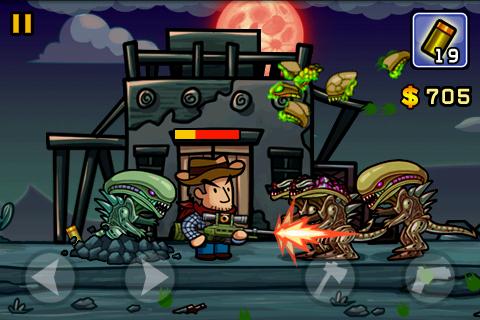
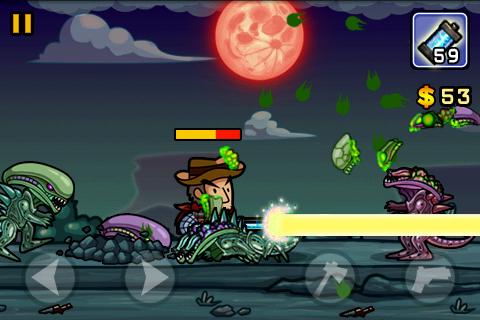
Aliens Invasion is an incomparable fun and addictive shooting game.
Wake up from your sweet dream. The aliens have invaded everywhere over the world. As a survival, you must grasp your weapons to fight for survive.
Aliens Invasion is an incomparable fun and addictive shooting game.
Wake up from your sweet dream. The aliens have invaded everywhere over the world. As a survival, you must grasp your weapons to fight for survive.
The gat and the ax are you only weapons at first. You can earn the money by killing the aliens and buy the weapons in the store to exist longer.
So how long will you survive?
So how long will you survive?
FEATURES:
- Control of simple action game
- 12 different arms
- Various types of aliens
- 3 difficulty type selection
- Shop System
- Control of simple action game
- 12 different arms
- Various types of aliens
- 3 difficulty type selection
- Shop System
** Note: This game support multi-touch.
Please check the limit of your equipment before download.**
Please check the limit of your equipment before download.**
If you like this game, please let your friends know.
Also try some other free games, including "Yoo Ninja" and "Pumpkins vs. Monsters" and "Jewels Deluxe".
Also try some other free games, including "Yoo Ninja" and "Pumpkins vs. Monsters" and "Jewels Deluxe".
Subscribe to:
Posts (Atom)
