Showing posts with label tools. Show all posts
Sunday, January 20, 2013

CallRecorder APK

CallRecorder

This program records phone calls from the phone line on some phones. Such recording is not usually available out-of-the-box, it needs hardware support in your OS kernel and root access. If you have an HTC device, you're in clover if you've got a custom ROM. Otherwise, please visit the xda site, there're plenty. Basically any device is supported, provided that it's based on a Qualcomm chip, say, their Snapdragons, etc. If your device has no such support, the program still records phone calls, but you need to select Android API in preferences and the recording will most likely proceed from the mike, not from the line. Please feel free to make any comments or send suggestions.

The list of supported devices:
Requires the kernel with 2-way call recording patch and ROOT permissions:
- HTC Desire
- HTC HD2
- Google Nexus One
- HTC Desire HD
- HTC Desire Z
- HTC Desire S
- HTC Incredible S
- HTC Thunderbolt
- HTC Sensation
- HTC EVO 3D (CDMA)
- HTC Hero
- HTC Wildfire
- ZTE Blade
- Sony Ericsson XPERIA ray
- Sony Ericsson XPERIA arc
 - Samsung Galaxy S II X (SGH-T989)
- Galaxy Nexus (alsa required)
- Samsung Galaxy R (alsa & Chinese kernel required)
Use standard API for recording (may record from the mic):
- Samsung GT-I9100 Galaxy S II (Doesn't work on Android 4 ICS, Preferences: Audio source - voice uplink, and voice downlink when BT headset is connected(it will record only other side, but it's better then nothing))
Permissions:
DIRECTLY CALL PHONE NUMBERS - necessary for Call Confirm feature
tags: call recorder, record phone calls, total recall, 2wcr, 2-way call recording, root, s-oof, the best call recorder, call recorder

Saturday, January 19, 2013

BetterBatteryStats APK

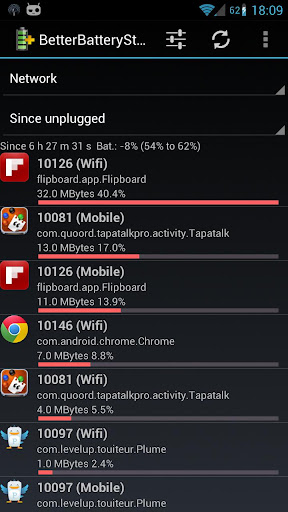
A high battery drain is often a limiting factor for a great user experience.
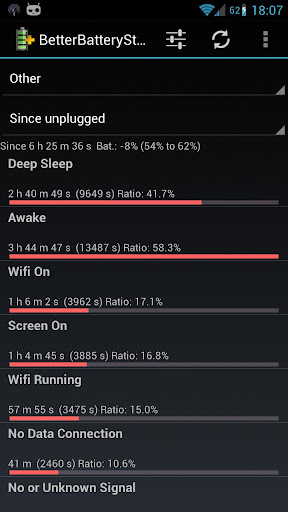
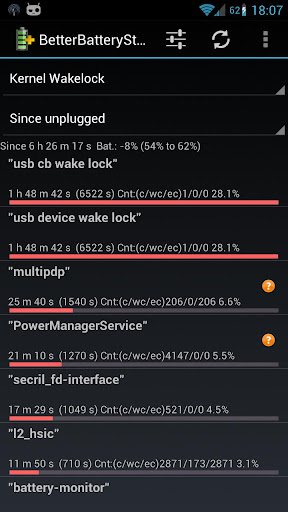
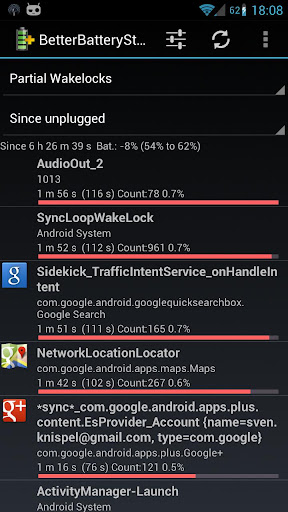
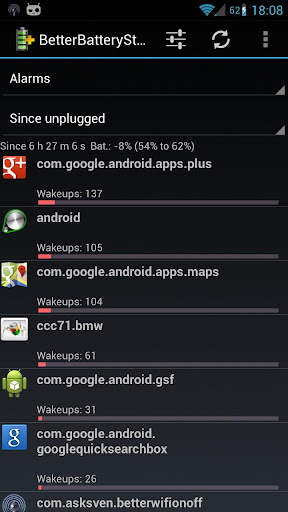
With BetterBatteryStats you can analyse the behavior of your phone, find applications causing the phone to drain battery while it is supposed to be asleep and measure the effect of corrective actions:
- Spot drainers based on detailed information about the root cause
- Use the online Knowledge-Base to find how to reduce or remove the wakelocks
- measure the effect of actions to reduce drain
- detect changes in the awake/sleep profile and quickly find the causes (rogue apps)
In other words BetterBatteryStats helps you to get the best out of your Android smartphone.
Support:
Please don't use the market's feedback system for support. In case of issues or for any question or suggestion please contact me by e-mail or use the contact information from the about box.
If you experience problems with your superuser app keeping asking to grant su rights don't blame BetterBatterStats but tra another superuser app instead.
Keywords: wakelock, kernel wakelock, partial wakelock, reduce battery drain, optimize battery life, save battery, battery drain, saving battery, network stats, alarms, CPU states
Permissions:
- android.permission.WRITE_EXTERNAL_STORAGE is used only for writing dumps to the SD. In case you don't need that feature please fell free to remoke that permission. It won't have any side effect besides disabling that feature
- android.permission.BATTERY_STATS is obviously the permission to access the internal statistics and can not be revokes without making the app unusable
- android.permission.INTERNET is required to access the online Knowledge-Base and Google Analytics. If you want to revoke this permission please make sure that the KB and GA are disabled in the preferences
- android.permission.ACCESS_NETWORK_STATE is required for Google Analytics. You can opt-out from GA from the "Advanced Preferences" and revoke this permission
- android.permission.RECEIVE_BOOT_COMPLETED is required for cleaning references. Revoking this permission may affect the results of kernel wakelocks and custom reference until new references were saved
- android.permission.READ_PHONE_STATE is required to detect when the phone was turned on/off in order to store references for advanced diagnosis
- android.permission.DEVICE_POWER is required to detect when the phone is disconnected from the charger and store the corresponding kernel wakelock reference. Revoking this permission will lead to losing "since unplugged" in kernel wakelocks
- android.permission.BLUETOOTH is required to fix a bug where the communication to the batteryinfo service stops working
- android.permission.READ_LOGS is required to allow logcat dumps to be saved. You can revoke this right and will lose only the ability to save logcats

BetterBatteryStats is open source so you can inspect/review/ contribute and submit issues or feature requests. Please check the about dialog for further details.


Battery Drain Analyzer (FULL) APK

Battery Drain Analyzer (F)

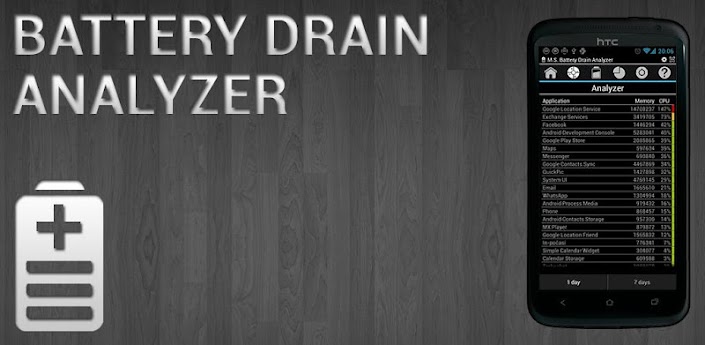
Battery Drain Analyzer (FULL)

Battery Drain Analyzer with Simple profile manager
!!! Please be so kind and read text I wrote here to avoid surprised reaction about things which are quite clear if you read text !!!

LITE & FULL version
- shows battery status in notification bar
- shows battery status in widget 1x1, 2x1
- shows battery level changes in time for day
- shows battery life statistic for last 30 days
- estimates for how long the battery last
- estimates for how long the battery will be charged
- notification in case battery level is bellow selected level
- notification for full battery (charging finished)
- 3 simple profiles (possible manual and automatic time activation): Day, Night, Save (allows enable/disable settings bellow)
- 5 buttons for enable/disable: airplane, Bluetooth, mobile data, Wi-Fi, sync + 1 button to access settings
- no advertisement

ONLY FULL version:
- shows you which application drain your battery most

Important:
Please always run application first to start service, which monitor battery. Without it application will not work. If you use a task killer, please add the application to the exception list.

Feedback:
If you have suggestion, comment, bug report or language correction, please use first "Feedback" in Menu – Preferences. It is very hard to help you, if you only criticize application without additional information on the Google Play.

Sunday, January 13, 2013

Auto Call Recorder Pro

Automatic call recorder.
In this ad free pro version you can automatically save calls from a contact and add comment to a recorded call.
You can also stop a recording in progress or start recording when a call is in progress.
Record all desired calls on your phone.
Select which calls to record:
You can record all calls or only those that are from numbers that are not in your contacts.
You can play, save and share the recorded calls.
New!!!!!
Integration with Dropbox cloud service.
Please note that on some devices recording a call is no possible so please try the free version first.
Auto call recorder also supports wav , ANR, 3gp formats.
Recording on an external sd card or any location desired is also possible.
The audio source is now configurable.
For playing the 3gp format you can use the "MX Video Player".
If you have a problem with the recording, please try to record with a different audio source,
which you can configure in the settings tab.
Try to record with speaker on or off , until you find the best combination for your phone.
For example you can try Audio Source -> Voice UpLink and speaker off.


Assistant(18 features) APK

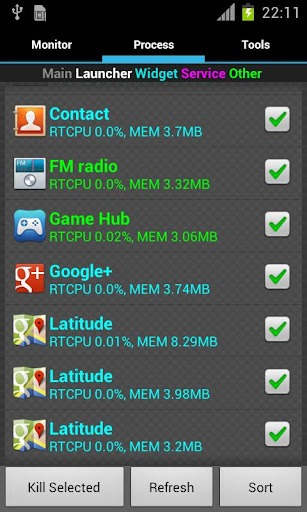
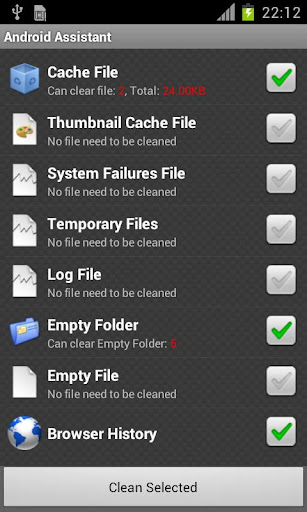
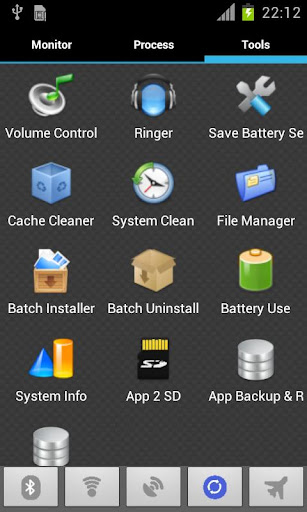
Top 18 features to help you easily and efficiently manage your android phone.
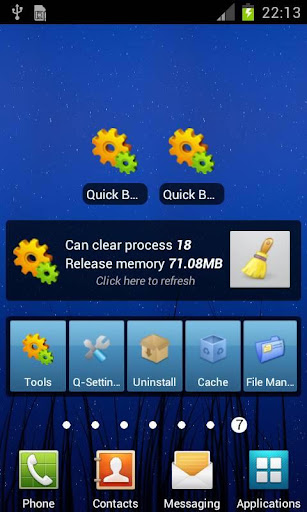
Android Assistant is one of the most powerful and comprehensive management tools to improve your android phone's performance. It speeds up your phone's running speed and saves battery.
【Top18 features】
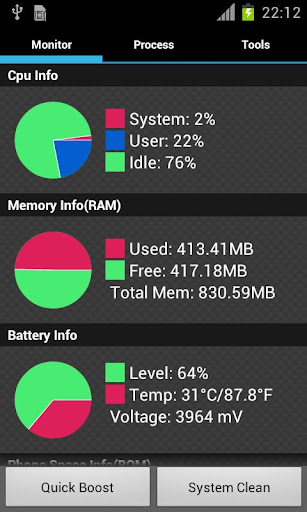
1. Monitor status (cpu, memory, battery)
2. Process Manager (Auto Boost and Quick Boost can distinguish different types of processes thus will not kill fatal system processes and apps in Ignore List.)
3. Cache Cleaner
4. System Clean(Browser History, Clipboard, Market History, Gmail History, Google Earth History, Google Map History)
5. Save Battery Settings(bluetooth, wifi, gps, auto-sync, orientation, haptic feedback, screen brightness, timeout)
6. File Manager
7. Startup Manager
8. Batch Uninstall
9. Battery use
10. Volume Control
11. Ringer
12. Startup Time
13. Startup Silent(Menu->Settings->Startup Silent)
14. System Info
15. Widget(Quick Booster[1,4], Shortcuts[4])
16. App 2 SD(Support android2.2 and later):Get more free internal phone storage space
17. Batch Installation
18. App backup and restore

KW: task kill taskkill ATK app killer tool tools taskmanager task manager system panel systempanel process manager processmanager memory taskpanel task panel Advanced Process android 2.3 Android Assistant

Animated Battery Widgets APK

Battery Widget

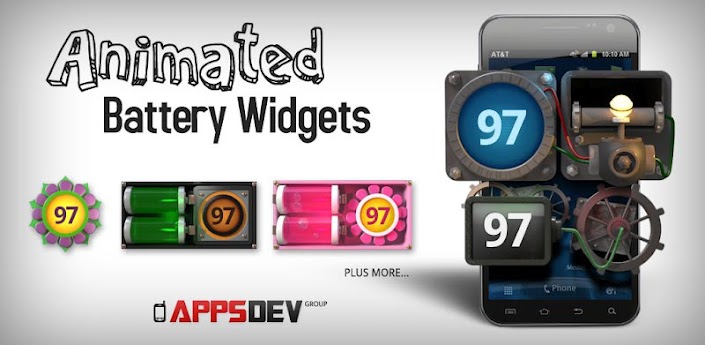
Sick of searching through hundreds of the same tired looking battery widgets and never finding the one and only battery widget for you?
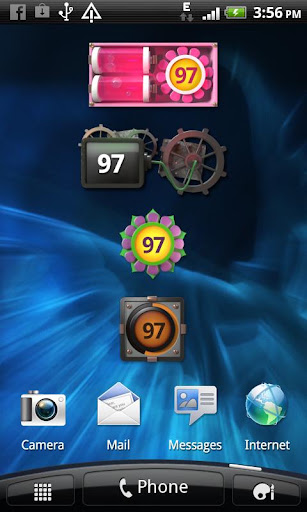
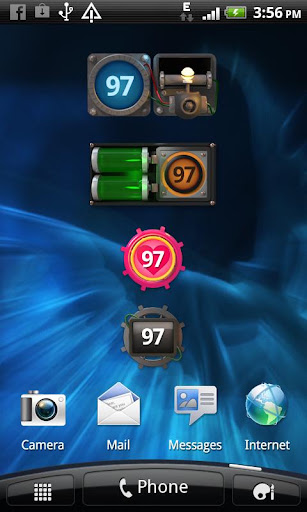
Your search is over with our collection of EIGHT unique, eye-catching fully animated digital 3D Battery Widgets. Each Battery Widget has it's own design to cater to each individual's battery widget need.
Seriously, still images do not do these incredible looking battery widget pieces of art justice. Check the video below to see the animations of each battery widget in action.
Enhance any home screen with any one of our amazing battery widgets as we simply offer the very best looking battery widget available on Google Play. Every Battery Widget is specially designed through animation to provide the very best possible user experience.
Treat your phone to a really beautiful battery widget, install all of our battery widgets TODAY!
Install any of these amazing looking battery widgets straight onto your homescreen and watch the wheels spin, the batteries bubble, the heart beat and other wonders with eye popping, 3D, animated accuracy.
Each animated battery widget is highly optimized, as to not drain your battery.
Please add Battery Widget to your home screen with the general methods below:
Method 1:
Press Home button followed by Menu button. Select Add -> Widgets -> ABW (name of widget)
Method 2:
Press Home button to show the home screen. Tap and hold your finger on any available space,
select Widgets -> ABW (name of widget)
Method to add widgets on home screen might be different in devices from various manufacturers with their custom user interfaces.
Note: If you do not find the battery widgets on the list after installation then please restart your phone and you will be able to see the list of our battery widgets. Performance may vary slightly between devices.
Please Rate Our Application after you install Animated Battery Widget! We do appreciate the support.
If you have any issues with installation or any technical problems please start a ticket athttp://www.appsdevgroup.com/support/ and will fix your battery widget problem.
Keywords:
Battery Widget, Battery Widgets, Battery Meter, Animated Widget, Battery Indicator, Battery Life,Battery,Widget,Android Tools


Sunday, September 23, 2012

Permissions Denied APK

Permissions Denied

Block app Permissions!
If you have problems with this app please email me! (StericDroid@gmail.com)
This application does not work on all devices. If this application does not work on your device, please email me and if we cannot get it to work after some troubleshooting I will issue you a refund.
This app Requires Root Access!
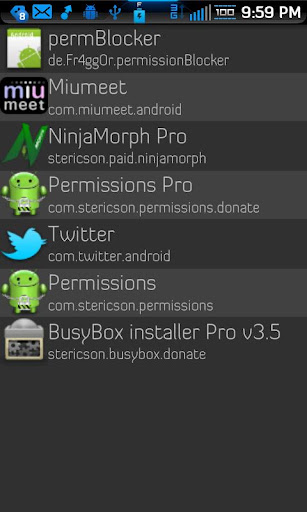
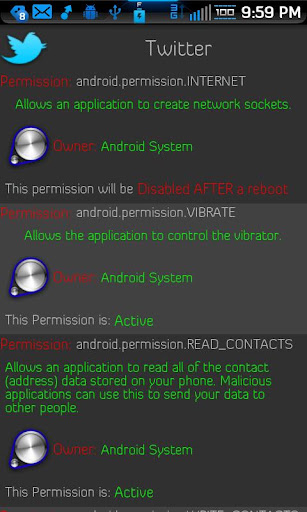
Permissions allows you to effectively control the permissions that apps which are installed onto your phone, via the market or some other source.
You must reboot before these changes take place and be aware that denying an app a permission that it is requesting may result in the app Force Closing.
Please us the backup feature with care! Always make backups of your device.

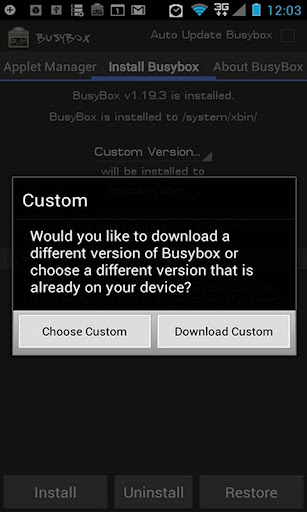
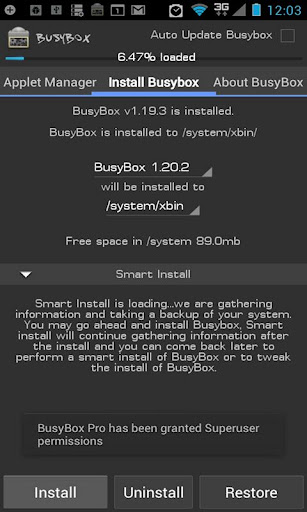
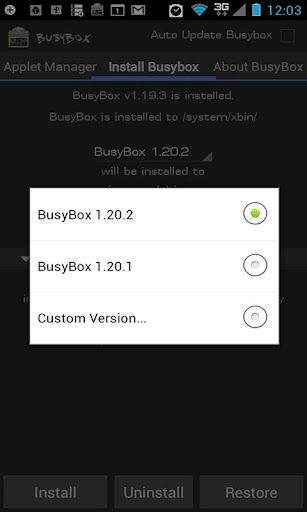
BusyBox Pro

Root required for this application!
The fastest, most trusted, and #1 BusyBox installer and uninstaller!
Over 3 million installs and over 10,000 5 Star ratings!
Mentioned in the new XDA-Developers book "XDA Developers' Android Hacker's Toolkit: The Complete Guide to Rooting, ROMs and Theming"
Winner of best Utility Software award for Android via Handster.
This is the only installer that is ad free and requires no internet permission!
The only installer that will install ANY Busybox binary available for Android...you find it on the web and this will install it!
This installer has the smallest Busybox binaries available, right around 800kb unlike the other installers which are over a meg.
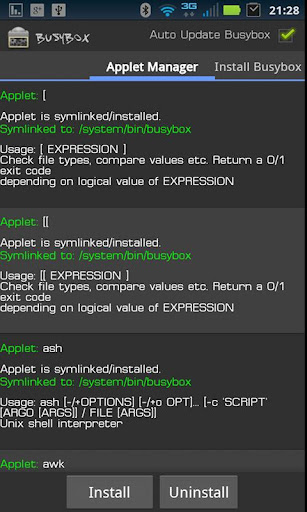
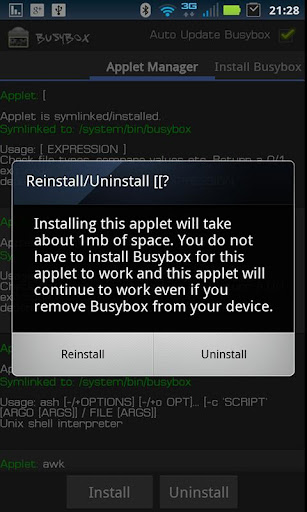
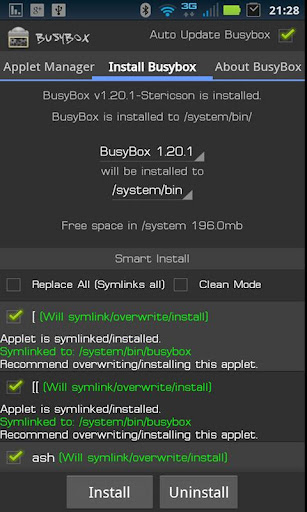
Pro version contains no ads or nag screens, Backup feature (for safer installs), uninstall feature, Advance Smart install feature, the ability to hand pick the applets you want, safety check for missing applets on start, and better overall support. The pro version will receive more frequent updates than the free version will.
The source for this application can be found here: https://code.google.com/p/busybox-android/
Featured on the BusyBox website at: http://busybox.net/products.html
The BusyBox source code can be found here: http://git.busybox.net/busybox/
A must have for any rooted phone! Almost EVERY rooted applications needs BusyBox to perform their magic, if you have a rooted phone then you need BusyBox.
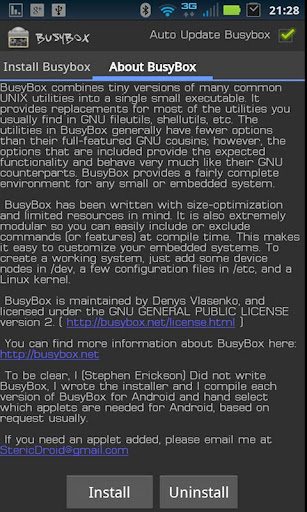
Please note I did not write BusyBox! I wrote this installer and cross compiled BusyBox for Android. Please see the about menu option for more details or here: www.BusyBox.net
BusyBox is a software application that provides many standard Unix tools, much like the larger (but more capable) GNU Core Utilities. BusyBox is designed to be a small executable for use with the Linux kernel, which makes it ideal for use with embedded devices. It has been self-dubbed "The Swiss Army Knife of Embedded Linux".
Leave this installed if you always want to get the latest version of busybox!

Sunday, July 29, 2012

Smart Tools Pro APK

Smart Tools

Measure length, angle, distance, height, direction and sound with your phone.
Smart Tools is a complete package of 5 app sets. It includes 5 Pro sets for a total of 15 tools. In a word, All-in-One.
Set 1: Length, Angle, Slope, Level, Thread - Smart Ruler Pro
Set 2: Distance, Height, Width, Area - Smart Measure Pro
Set 3: Compass, Metal detector, GPS - Smart Compass Pro
Set 4: Sound level meter, Vibrometer - Sound Meter Pro
Set 5: Flashlight - Smart Light Pro

For more information, see the manual for each of the apps, watch the YouTube video and visit the blog: http://androidboy1.blogspot.com/
Even more tools will be added soon. Next will be Speed Gun, Magnifier, and more.
Do you want to get more tools and features? Please send an email. I'll reply to it ASAP.
I hope my apps are useful to your Smart Life. Thanks.


Receive all updates via Facebook. Just Click the Like Button Below

?

You can also receive Free Email Updates:

Powered By Techystuff